
Integrations
An integration is a server-side connection from Homarr to a supported service. Integrations provide data and actions to widgets and can be linked to apps.
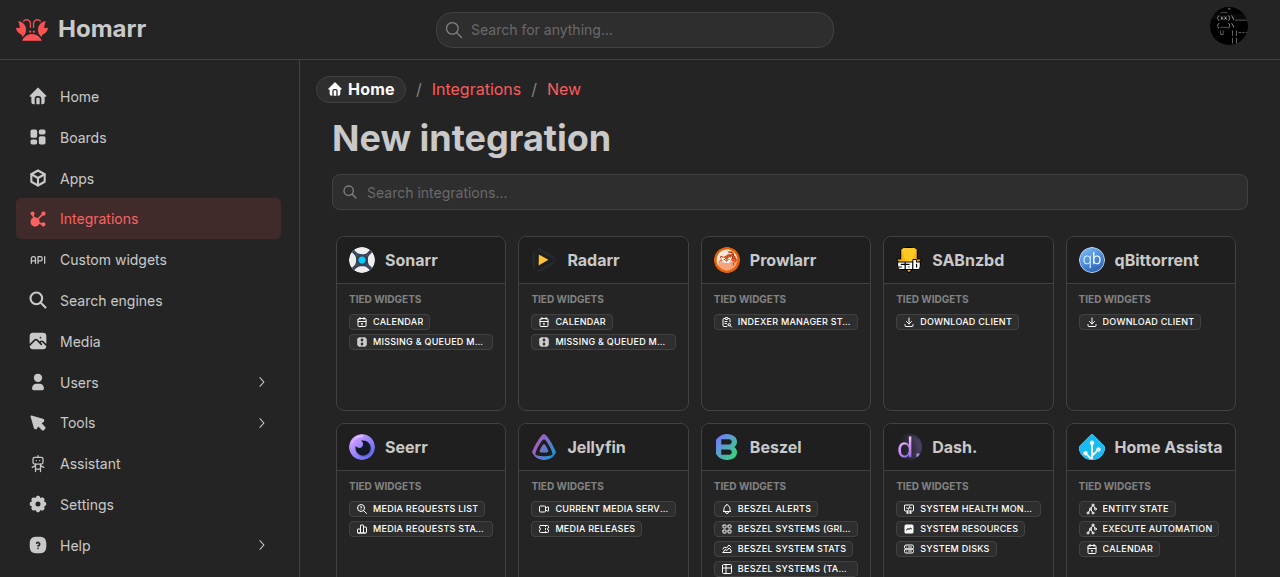
See the integration catalog for service-specific URLs, credentials, and supported widgets.
Beyond native widgets
:::tip Homarr is the front door to your homelab
Configure a supported service once, then use its API through MCP and bring its data or actions onto your dashboard with Custom Widgets—even when Homarr has no native feature for it.
:::
Have your agent consult the service’s API docs and test the endpoint through integration_request,
Homarr's most powerful MCP tool. Then bind the same saved integration to a
Custom Widget source to display its data or run actions.
Both reuse saved credentials and require full integration access. The iCalendar feed integration and TrueNAS's WebSocket
API cannot be used through these generic HTTP requests.
Browser and server routes
https://sonarr.example.com Sonarr UIThe browser connects directly
http://sonarr:8989Sonarr APIThe Homarr server connectsConfiguration
Create and manage integrations under Management → Integrations. Select a service, provide its base URL and required credentials, then test the connection. Homarr does not save a new integration until the test succeeds.
Use a URL reachable from the Homarr server or container. Unless an integration page says otherwise, provide the service root rather than a settings or API subpage.
Credentials are encrypted and used only by the server. Linking an app is optional; it provides the browser-facing URL used by widgets that open the service.
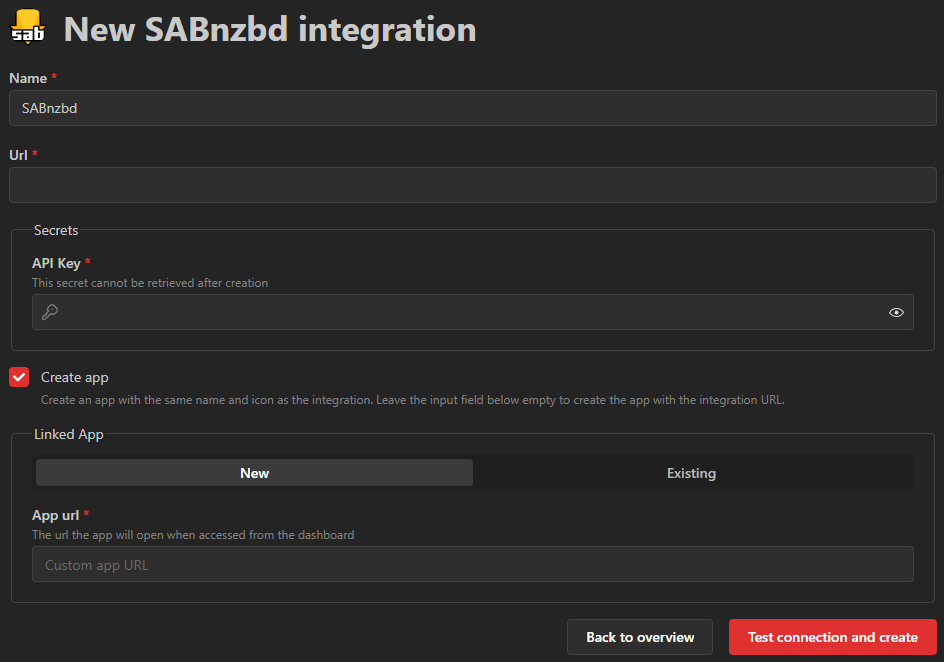
Integrations can also be created while adding content to a board. Editing a connection from a widget updates that integration everywhere it is used.
Permissions
| Level | Allows |
|---|---|
| Use | Select the integration and read its data |
| Interact | Run supported actions, such as pausing a download |
| Full | Change integration settings and call arbitrary API endpoints |
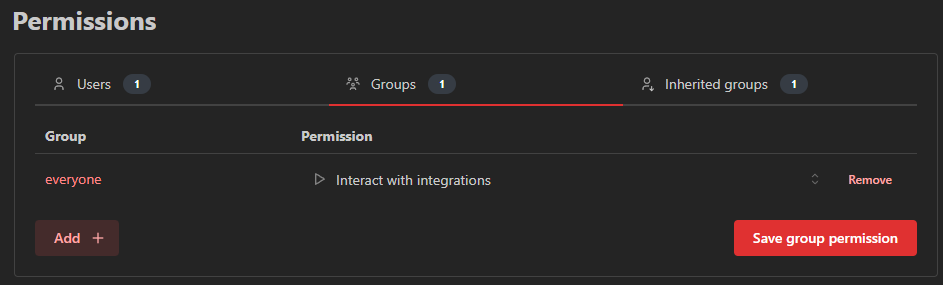
Global integration permissions apply to every integration. Resource access can instead be granted to specific users or groups. Lists are filtered on the server and only include connections the current user can manage.
Connection problems
If a connection test fails:
- Check the integration page for the required base URL and credentials.
- Test name resolution and HTTP access from the Homarr container or pod, not only from the host or browser.
- Check Homarr and upstream-service logs, then any reverse proxy, firewall, VLAN, VPN, or DNS between them.
- For a self-signed certificate, add the expected certificate under Certificates.
Do not disable upstream security controls as a general troubleshooting step.