
Assistant
Configure and use Assistant.
Assistant answers questions and operates Homarr through the signed-in user's permissions. Read-only tools can run automatically; changes require approval by default.
Request flow
Configuration
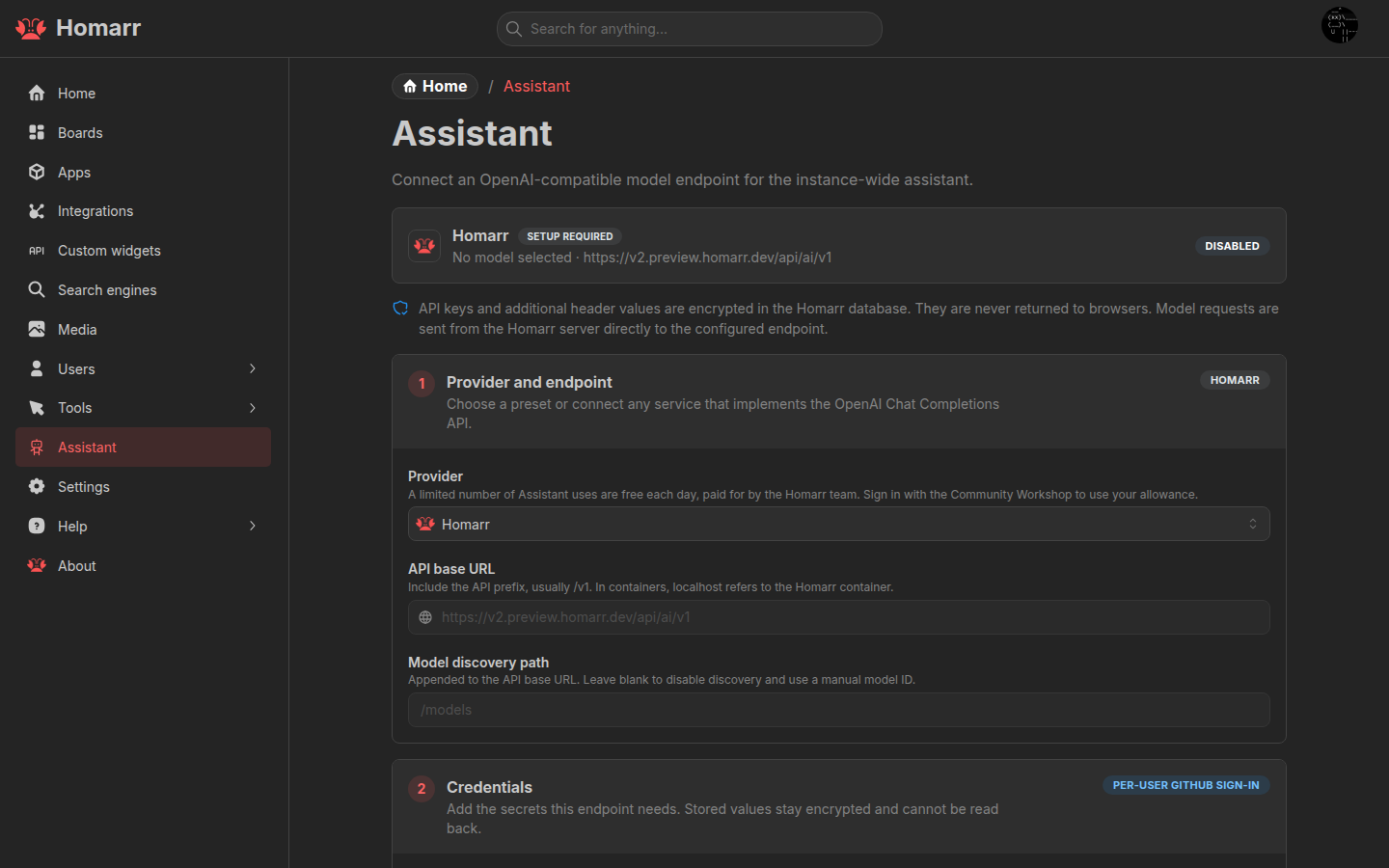
Under Management → Assistant, select a provider, configure its API URL and key when required, select the default model, and enable Assistant. Users can choose another available model for a conversation.
Provider presets cover common APIs. Custom endpoint accepts an OpenAI-compatible Chat Completions API. For a model
server outside the Homarr container, use a hostname that the container can resolve instead of localhost.
The Homarr provider is available through the Community Workshop without an administrator API key and has a daily request allowance.
:::warning Using an existing AI subscription
Homarr Assistant cannot use existing AI subscriptions such as Claude or GitHub Copilot, and this is not planned. To use your preferred AI client with Homarr, connect it to the Homarr MCP server.
:::
Access
Open Assistant from the user menu, with Shift+A, from search with Cmd/Ctrl+/, or through the
Assistant widget.
Assistant can work with boards, apps, integrations, widgets, Custom Widgets, and supported connected services. Mention
Homarr resources with @; the model loads additional live context only when needed.
Conversations are stored per user and can be searched, renamed, exported, or deleted.
Permissions and data
- Every tool call uses the current user's Homarr permissions.
- Automatic approvals apply only to the current conversation and reset when switching conversations.
- Provider keys and custom headers are encrypted and are not returned to the browser.
- Prompts, attachments, tool definitions, and tool results are sent to the selected model provider.
See MCP to connect an external AI client and Custom Widget agent authoring for widget generation.
Troubleshooting
- No models found: check the API URL, discovery path, and API key, or enter a model ID manually.
- Assistant is unavailable: enable it and save the configuration.
- Tool calls stop: use a model that supports streaming and tool calls.
- Local endpoint is unreachable: check container DNS, routing, and the model server's listen address.